
Documentation Index
Fetch the complete documentation index at: https://docs.vidol.chat/llms.txt
Use this file to discover all available pages before exploring further.
Dialogue Experience
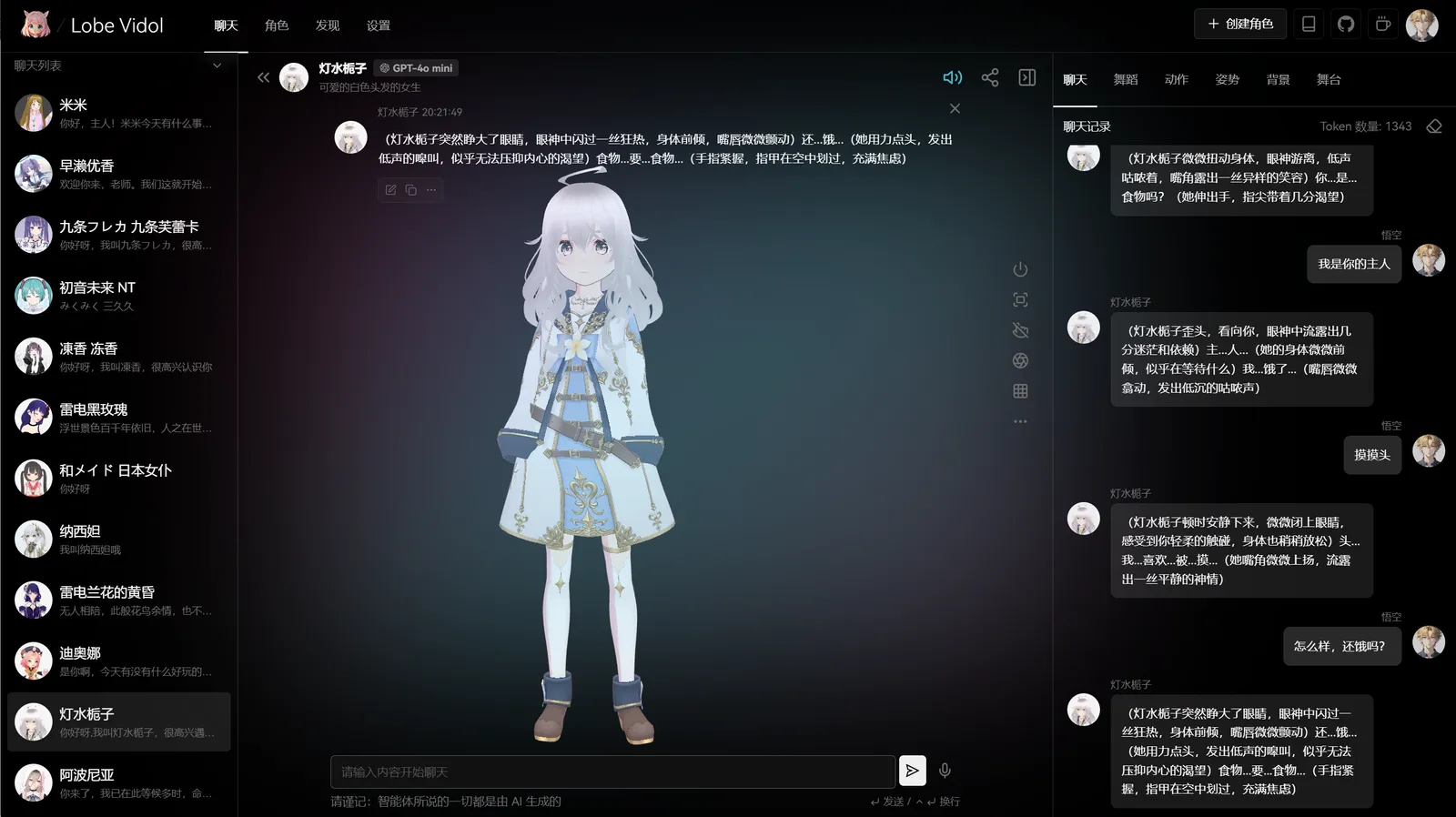
Streamlined responses provide a smooth dialogue experience, allowing you to:- Set character actions and expressions within parentheses ()
- Describe ongoing events or scenes within brackets []
Touch Response
Clicking on different body parts of the character will elicit various reactions. You can also customize and edit the touch responses.Background Images
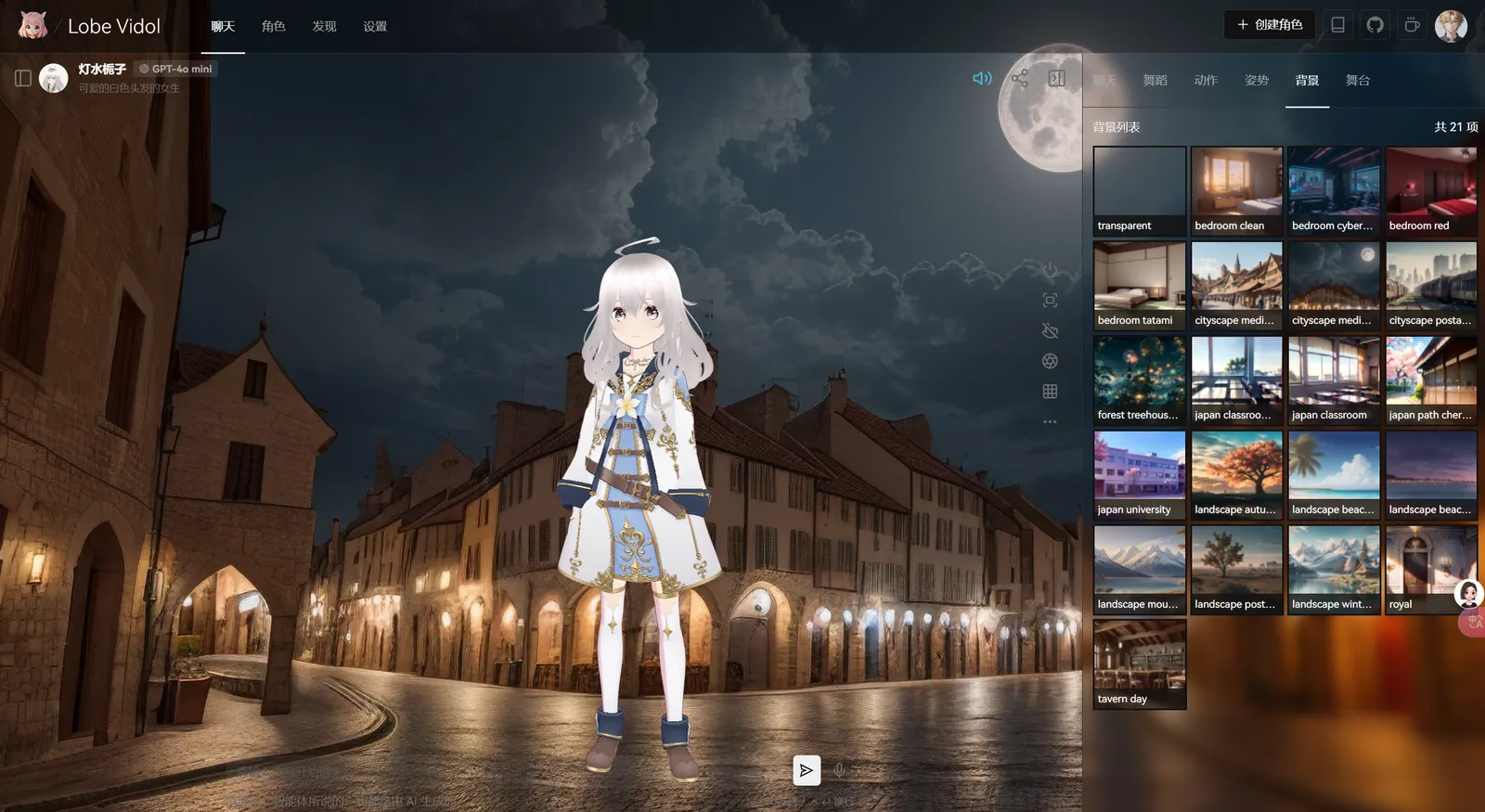
Background images can make dialogues more vivid and interesting. Here are some recommended scenarios for use:- Casual chatting in a café setting
- Learning assistance in a classroom environment
- Experiencing poetic dialogues in natural scenery
- Discussing work matters in an office setting
Rich Library of Actions and Poses
The built-in Mixamo character action and pose library allows characters to exhibit rich body language during dialogues: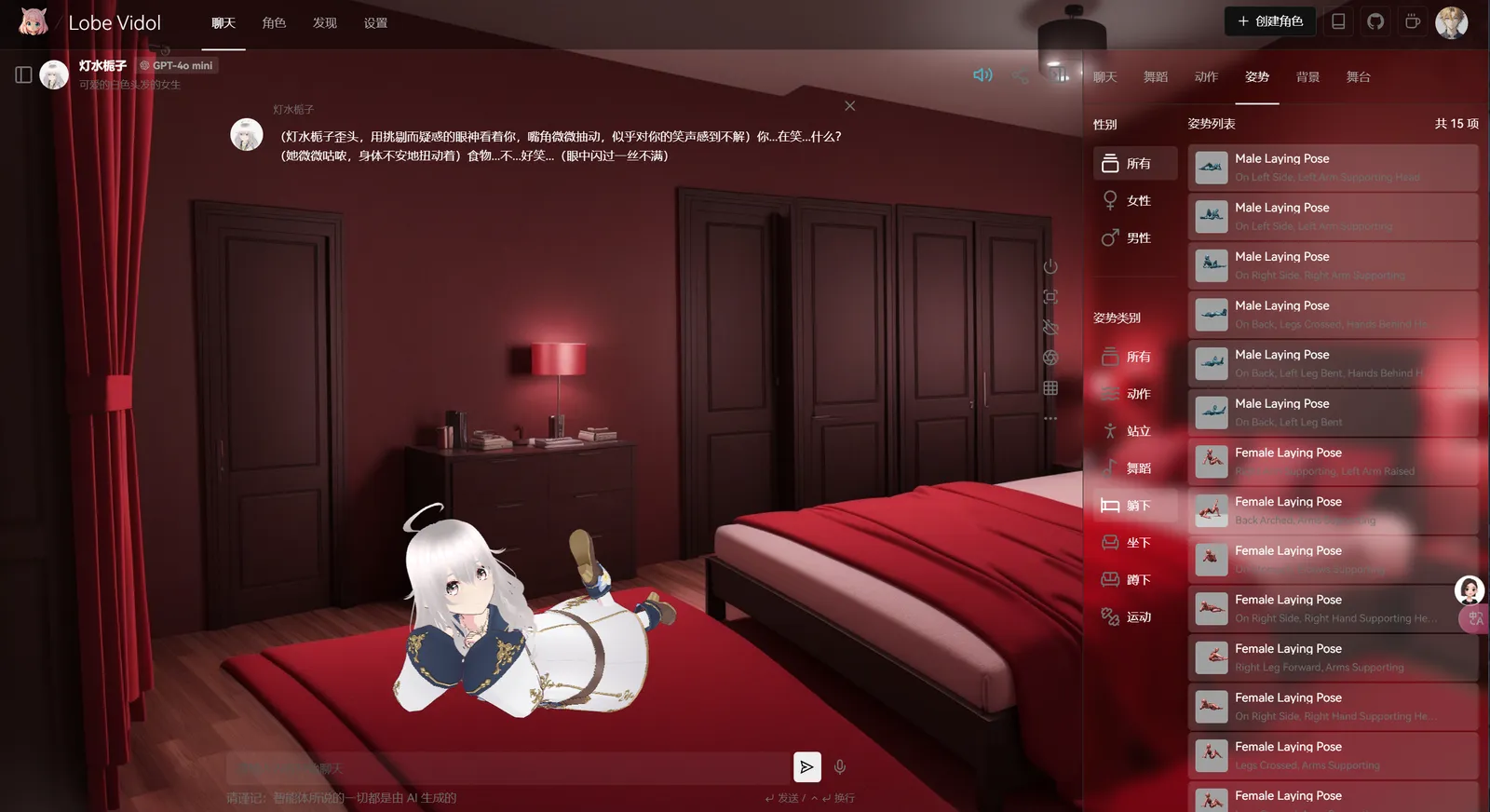
Character Editing